
Flutter + Firebase (Cloud Functions, Firestore, Auth, Storage, FCM) + Web Admin Panel
Version 1.4.0 · Documentation for buyers
Tarneeb Online is a complete, production-ready source code of the popular Middle-East trick-taking card game Tarneeb (4 players, 2 teams, bidding 7 to 13, trump suit, first team to 41 points wins). The game runs on a server-authoritative backend built with Firebase Cloud Functions, so players cannot cheat by modifying the client.
The package includes the mobile app (Android / iOS / Web from one Flutter code base), the full Cloud Functions backend, Firestore security rules and indexes, a web admin panel and a landing website with privacy policy, terms and account-deletion pages.
Gameplay
- Real-time 4-player Tarneeb (2 teams)
- Bidding 7-13, trump selection, trick play, round results, score sheet
- Server-side rules engine (no client cheating)
- Bots (easy / medium / hard) fill empty seats, always shown with a BOT badge
- Auto-bots and automatic advance of idle turns
- Reconnect support and connection banner
- Quick chat in game, sounds and music
Rooms
- Create room (optional coin cost), join by code
- Rooms browser with live rooms
- Spectator mode with room chat
- Seat requests (accept / reject) for spectators
- Kick player, room settings, invite friends
Social
- Friends: friend code, search, requests, remove
- Direct chat, group chat (create, edit, members), global chat
- Block / unblock, report user, report message
- Gifts between players (catalog, fee, daily limit) with arrival animation
Progression
- Player ranks, XP and statistics
- Achievements with claimable rewards
- Weekly leaderboard with automatic reset
- Match history
- Events (daily / weekly / weekend) with prize pool
Monetization
- Coin packs and bundles (consumable IAP)
- VIP subscriptions (1 / 3 / 12 months) with daily VIP reward
- Donations / supporter levels
- Server-side receipt verification (Google Play + Apple), refunds/revokes handled
- AdMob: banner, interstitial, rewarded, rewarded interstitial, server-side verification (SSV)
- Daily streak reward, lucky wheel, double winnings by watching an ad
Accounts
- Email/password (with password reset), Google, Apple (iOS)
- Unique usernames with live availability check
- Profile with avatar upload
- In-app account deletion (Google Play policy)
- Push notifications (FCM) + local notifications, sent in each player's language
- 7 languages with in-app switcher (EN, AR with RTL, FR, DE, ES, PT, TR)
- Crashlytics and Analytics
Web admin panel
- English and Arabic interface with a language switch
- Dashboard with KPIs
- Players: edit profile/stats/coins/VIP/email/password, ban, mute, disable, delete, force logout
- Rooms: list, end game, close, kick
- Reports moderation, events, broadcast push
- Gifts: stats, cancel/reverse, system gifts, mass gift campaigns
- Purchases and buyers, admin notifications bell, logs, settings, admins list, read-only demo role
Website
- Landing page with public live stats (English and Arabic)
- Privacy policy, terms, delete-account page
app-ads.txtfor AdMob- Playable web version (Flutter web) and direct APK download
A quick look at each part of the product before you start the setup.
Mobile game (Android / iOS)
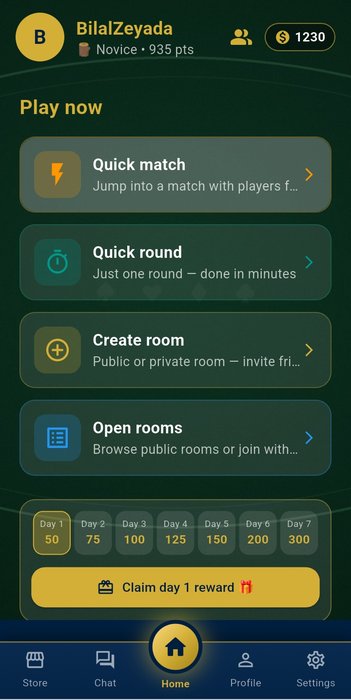
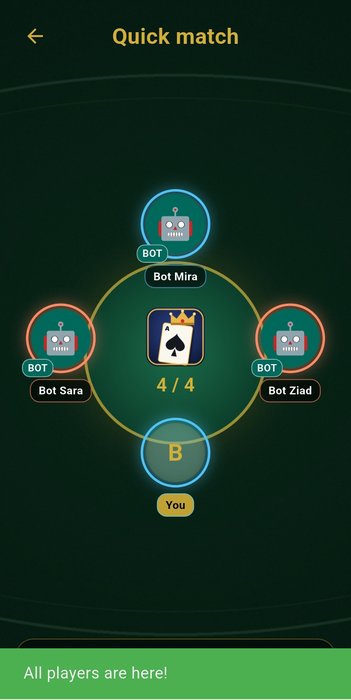
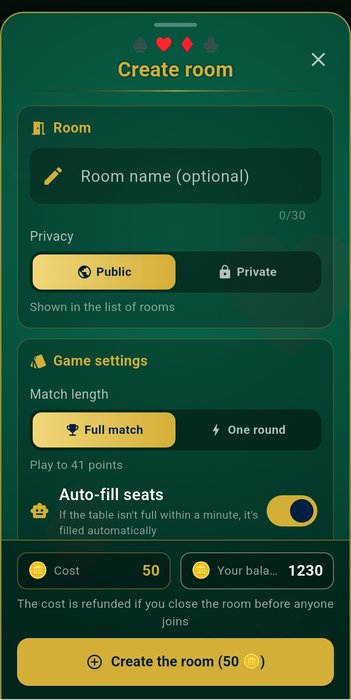
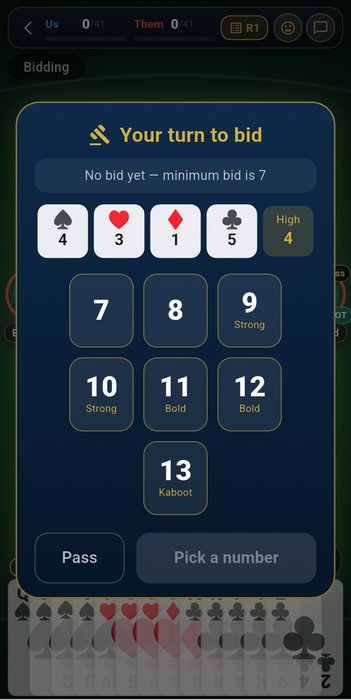
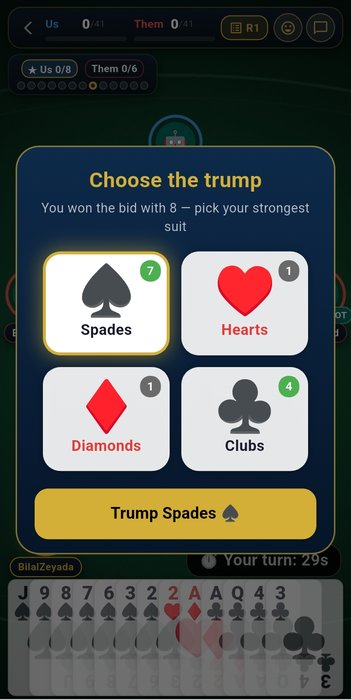
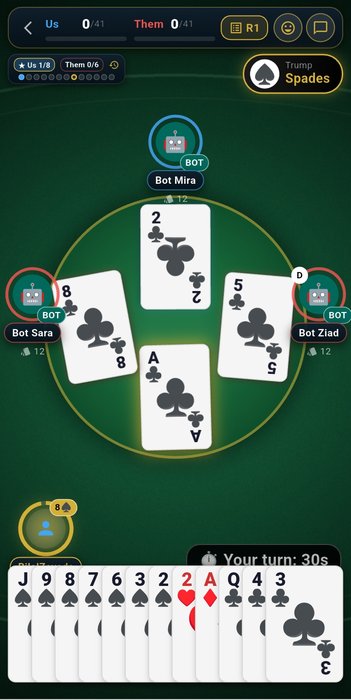
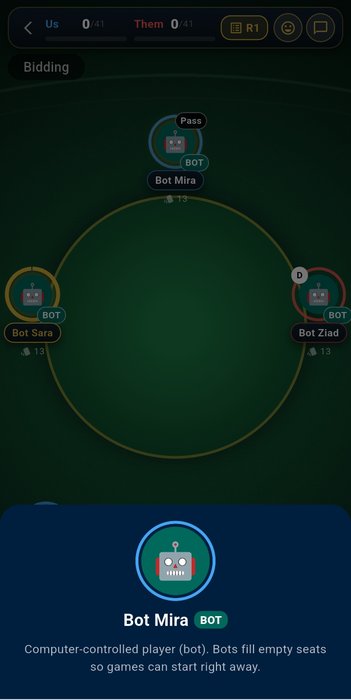
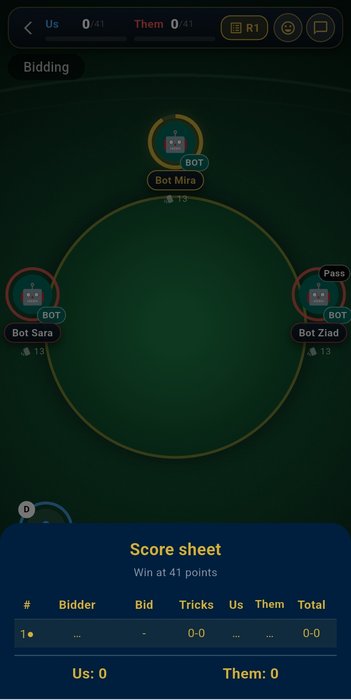
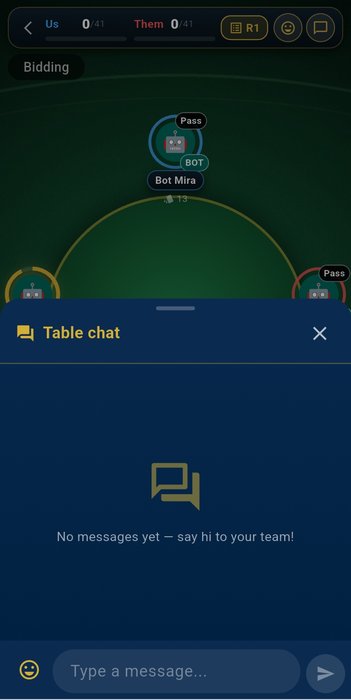
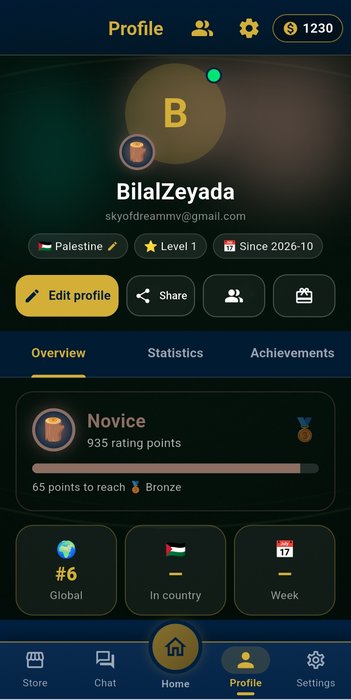
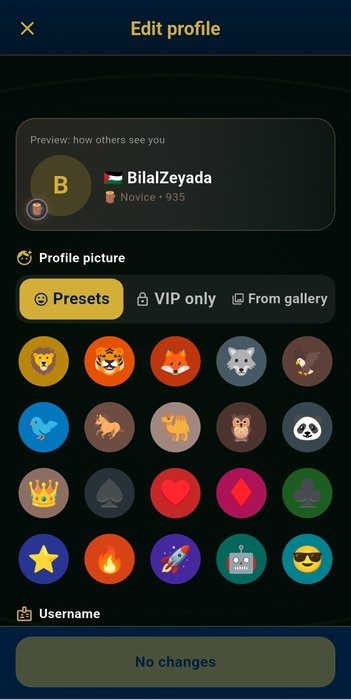
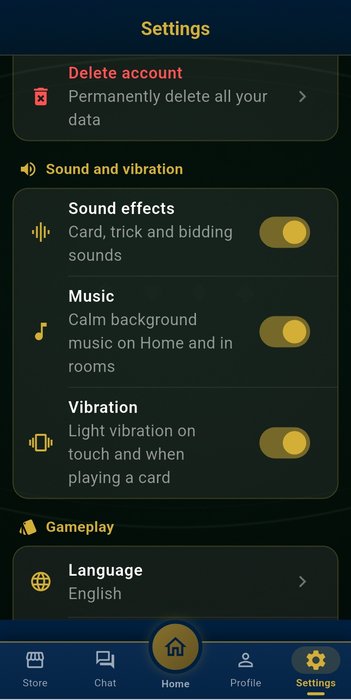
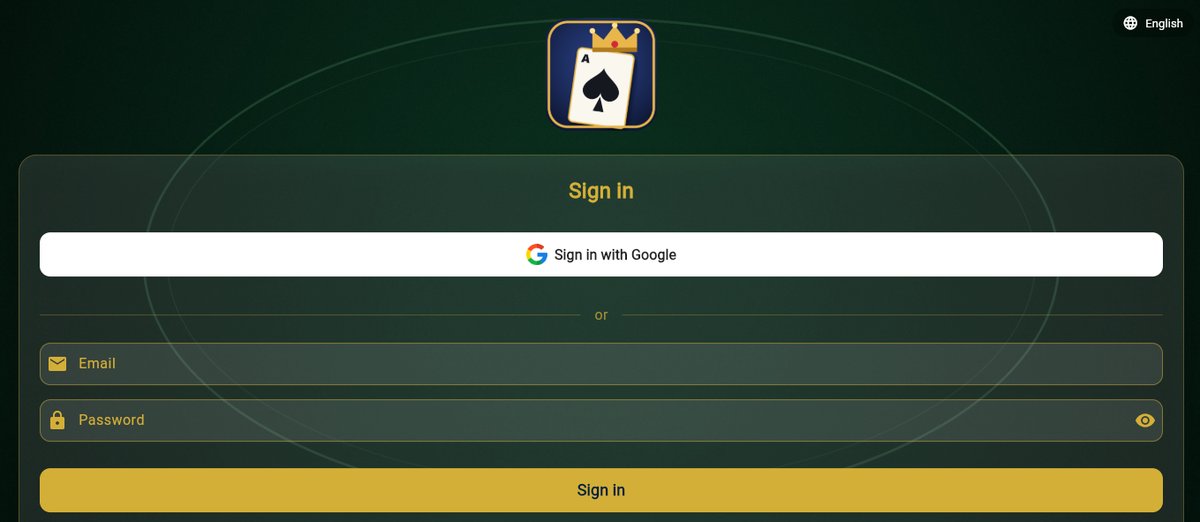
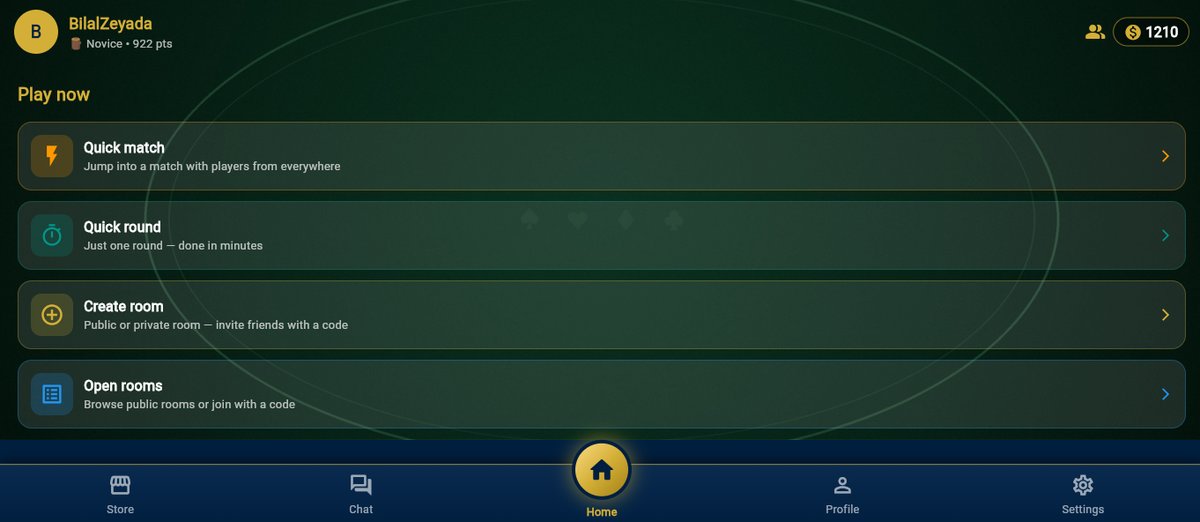
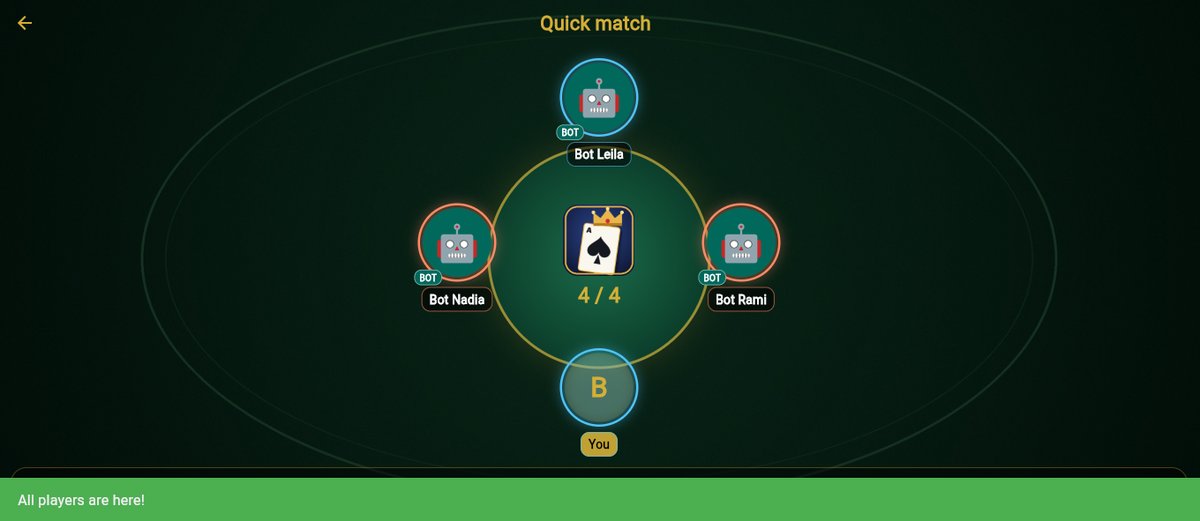
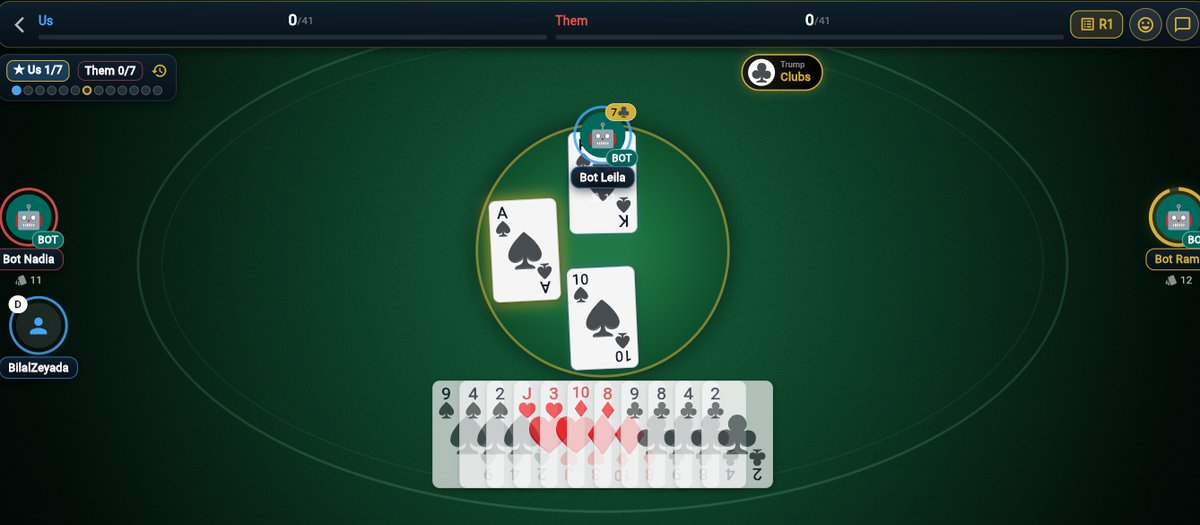
The player signs in (email, Google or Apple), lands on Home, creates or joins a room in the Lobby (empty seats are filled by bots), then plays: bidding → trump → tricks → score sheet. The language button on the sign-in screen and in Settings switches between 7 languages.
Web version of the game (browser)
Web admin panel
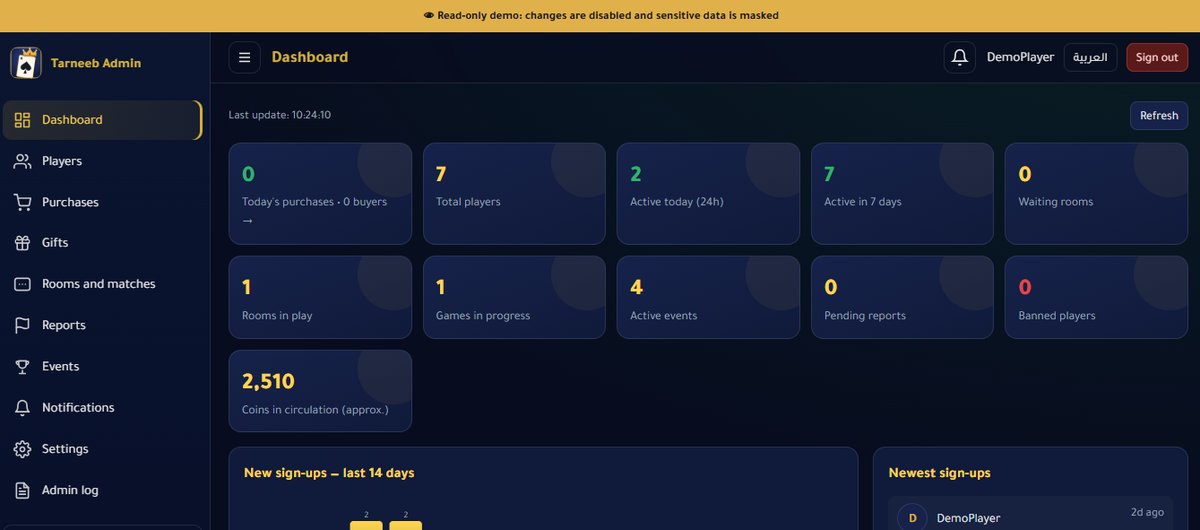
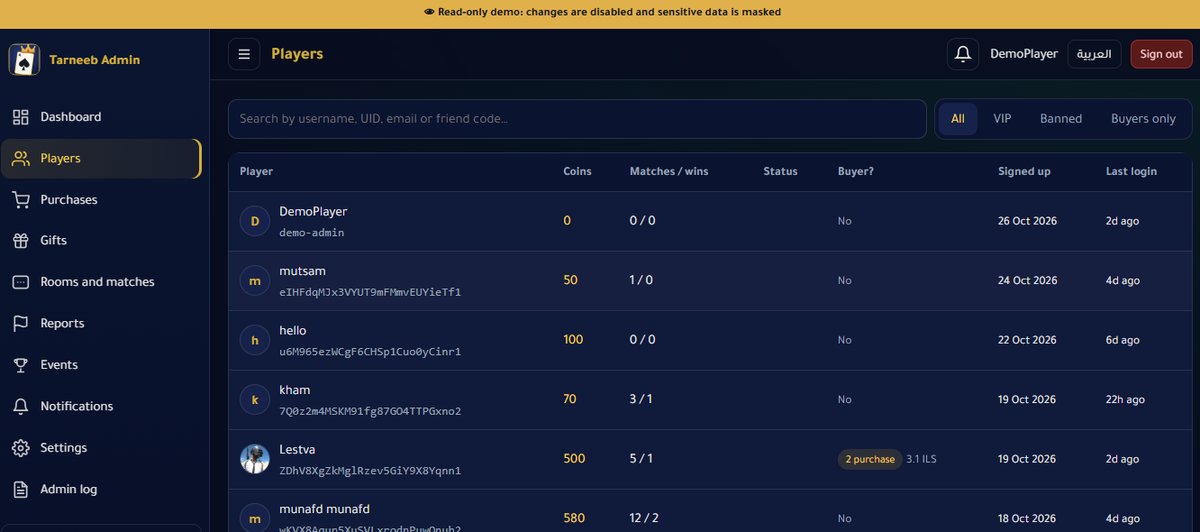
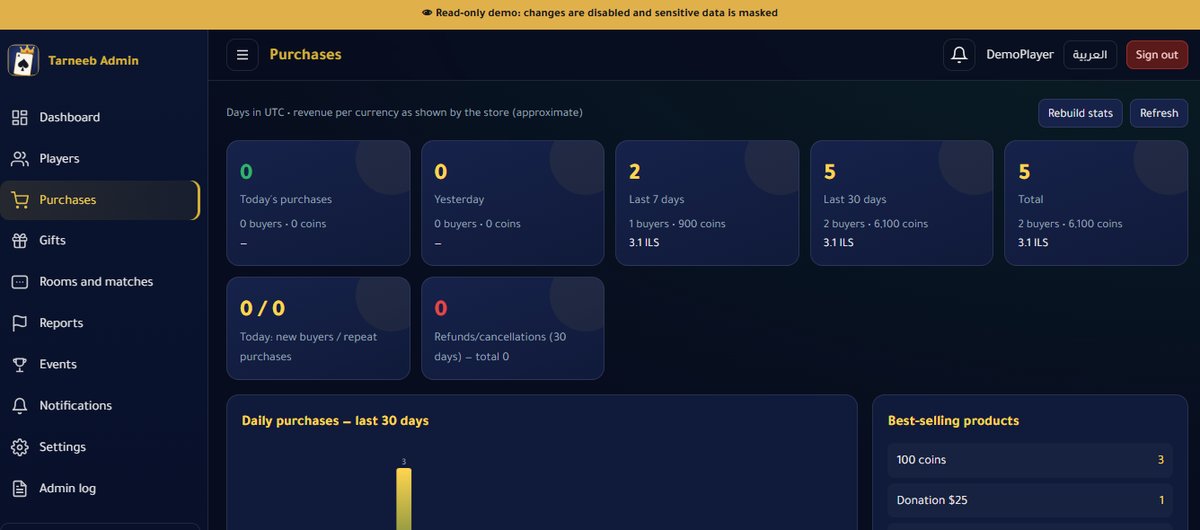
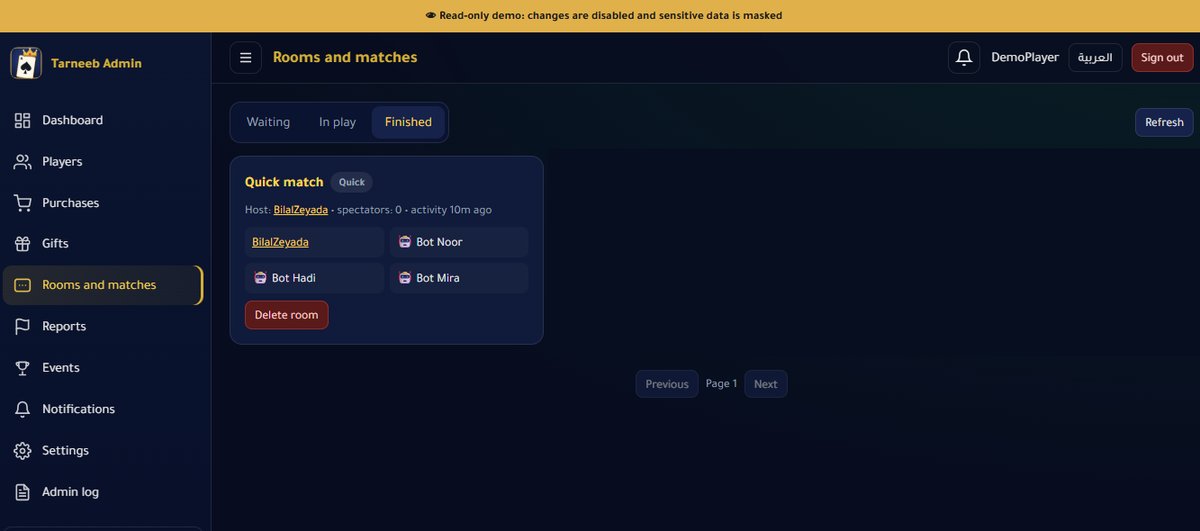
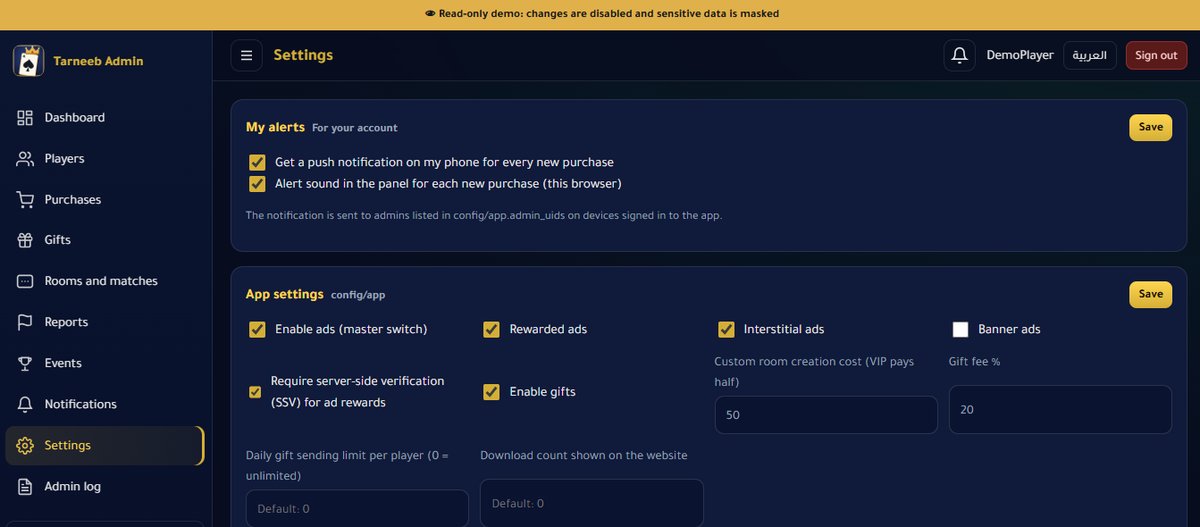
Admin screenshots were taken with the read-only demo account (the yellow bar), so personal data is masked.
| Service | Needed for | Cost |
|---|---|---|
| Firebase (Google Cloud) | Auth, Firestore, Cloud Functions, Storage, Hosting, FCM | Blaze (pay as you go) plan required for Cloud Functions. There is a free monthly quota; usage above it is billed by Google. Set a budget alert in Google Cloud Billing. |
| Google Play Console | Publishing on Android | One-time registration fee |
| Apple Developer Program | Publishing on iOS | Yearly membership fee |
| AdMob | Ads (optional) | Free; subject to Google approval and policies |
| Custom domain, email service, etc. | Optional | Depends on the provider |
| Tool / Account | Version | Notes |
|---|---|---|
| Flutter SDK | Stable channel, Dart >= 3.9 (tested with Flutter 3.47) | Install guide |
| Android Studio + Android SDK | Latest | Java 17 (bundled JBR is fine) |
| Xcode (iOS only) | 26 or newer (Swift 6.2, required by Firebase iOS SDK 13), on macOS | Plus CocoaPods 1.16+. Minimum iOS version of the app: 15.0 (required by Firebase) |
| Node.js | 22 | For Cloud Functions |
| Firebase CLI | Latest | npm install -g firebase-tools |
| FlutterFire CLI | Latest | dart pub global activate flutterfire_cli |
| Firebase project | Blaze (pay as you go) plan | Cloud Functions and scheduled jobs require Blaze. Small games usually stay inside the free quota. |
| Google Play Console | - | To publish and sell on Android ($25 one time) |
| Apple Developer Program | - | To publish on iOS ($99 / year) |
| AdMob account | - | Optional, for ads |
Tarneeb_Online_v1.3.0/
├── README.txt
├── LICENSE_AND_CREDITS.txt
├── documentation/index.html      (this file)
└── source/
    ├── lib/
    │   ├── main.dart
    │   ├── firebase_options.dart  (PLACEHOLDER - regenerated by flutterfire configure)
    │   ├── config/app_config.dart (app name, AdMob IDs, Google client ID, rewards, URLs)
    │   ├── constants/app_theme.dart (colors and theme)
    │   ├── models/                (cards, game state, products, VIP, donations, achievements, ranks)
    │   ├── screens/               (login, home, lobby, game, store, chats, friends, events, ...)
    │   ├── services/              (auth, firebase, game, purchases, ads, chat, gifts, notifications, ...)
    │   ├── utils/  widgets/
    ├── functions/                 (Node.js 22 Cloud Functions - the game server)
    │   ├── index.js               (game flow, purchases, daily maintenance)
    │   ├── rules.js               (Tarneeb rules engine + bots)
    │   ├── rooms.js live_rooms.js friends.js chat.js gifts.js events.js progression.js ...
    │   ├── admin*.js gift_admin.js gift_campaigns.js purchase_stats.js
    │   └── test/                  (simulation and flow tests)
    ├── hosting/                   (landing site, legal pages, admin panel in hosting/admin)
    ├── assets/                    (images and sounds)
    ├── android/ ios/ web/ macos/ linux/ windows/
    ├── firebase.json  .firebaserc
    ├── firestore.rules  firestore.indexes.json  storage.rules
└── pubspec.yaml- Client (Flutter): displays the game and sends player actions by calling HTTPS callable Cloud Functions (
gameAction,createRoom,joinRoom,sendGift, ...). It listens to Firestore documents for real-time updates. - Server (Cloud Functions): validates every action inside Firestore transactions, applies the Tarneeb rules (
functions/rules.js), plays for bots, gives rewards and verifies purchases. Scheduled jobs clean stale rooms, advance idle games, reset the weekly leaderboard, run events and gift campaigns. - Security rules: clients can read only what they are allowed to and cannot write coins, scores or game state directly.
- Admin panel: static web app in
hosting/admin, calls admin-only functions. A user is admin if their UID is listed in Firestoreconfig/app.admin_uidsor has the custom claimadmin: true.
flutter doctor                       # must show no errors for your target platform
npm install -g firebase-tools
firebase login
dart pub global activate flutterfire_cli
Make sure the Dart pub cache bin folder is in your PATH (the command above prints it), otherwise flutterfire will not be found.
7.1 Change the package name
Replace com.bilalzeyada.tarneebonline with your own ID in all of these places (use "Find in files" in your IDE):
| File | What |
|---|---|
android/app/build.gradle.kts | namespace and applicationId |
android/app/src/main/kotlin/com/bilalzeyada/tarneebonline/MainActivity.kt | package line. Also move the file to the matching folder path, e.g. kotlin/com/yourcompany/tarneeb/ |
ios/Runner.xcodeproj/project.pbxproj | PRODUCT_BUNDLE_IDENTIFIER (or change it in Xcode > Runner > Signing & Capabilities) |
macos/..., linux/CMakeLists.txt, windows/runner/Runner.rc | Only if you build for desktop |
lib/config/app_config.dart | androidPackageId |
lib/services/purchase_service.dart | 'package': ... in subscriptionsManagementUri |
functions/index.js | const ANDROID_PACKAGE = ... (used for Google Play receipt verification) |
hosting/index.html | Google Play link |
7.2 App name
- Android:
android:labelinandroid/app/src/main/AndroidManifest.xml - iOS:
CFBundleDisplayName/CFBundleNameinios/Runner/Info.plist - In-app:
appNameinlib/config/app_config.dart - Web:
web/index.html(title) andweb/manifest.json
7.3 Icon and splash
Replace assets/images/game_logo.png (1024x1024 PNG recommended), check the flutter_launcher_icons and flutter_native_splash sections in pubspec.yaml, then run:
flutter pub get
dart run flutter_launcher_icons
dart run flutter_native_splash:create8.1 Create the Firebase project
- Open Firebase Console > Add project. Enable Google Analytics (used by the app).
- Go to Usage and billing and upgrade to the Blaze plan. Add a budget alert (e.g. $10) for peace of mind.
8.2 Authentication
- Build > Authentication > Get started > Sign-in method.
- Enable Email/Password.
- Enable Google (choose a support email). Open the Google provider again and copy the Web client ID (used in step 8.6).
- Enable Apple if you publish on iOS (see 8.7).
- Authentication > Settings > Authorized domains: add your hosting domains (added automatically for
*.web.app) and any custom domain.
8.3 Firestore, Storage, Crashlytics, Messaging
- Build > Firestore Database > Create database > Production mode. Pick a location close to your players (it cannot be changed later). The rules and indexes are deployed from the project in step 9.
- Build > Storage > Get started (used for profile avatars).
- Release & Monitor > Crashlytics > Enable.
- Cloud Messaging is enabled by default.
8.4 Connect the app to your Firebase project
From the source folder:
cd source
flutterfire configure --project=YOUR_FIREBASE_PROJECT_ID
Select Android, iOS and Web. This command:
- creates Android / iOS / Web apps in your Firebase project with your package name,
- overwrites
lib/firebase_options.dart(the shipped file contains placeholders only), - creates
android/app/google-services.jsonandios/Runner/GoogleService-Info.plist, - updates the
fluttersection offirebase.json.
Then link the Firebase CLI to your project: open .firebaserc and replace your-firebase-project-id with your project ID, or run:
firebase use --add # select your project, alias: defaultThe .firebaserc file also defines two hosting targets: site (landing + admin) and play (web version of the game). Create a second hosting site in Firebase Console > Hosting > Add another site (e.g. mygame-play) and put its name in place of your-web-play-site. If you do not want a web version, delete the play target from .firebaserc and firebase.json.
Finally copy the Web config values from lib/firebase_options.dart (section web) into hosting/admin/js/firebase.js (firebaseConfig), so the admin panel connects to your project.
8.5 Add SHA-1 and SHA-256 fingerprints (Android)
Google Sign-In on Android will fail (error 10 / DEVELOPER_ERROR) without them. You need fingerprints for three keys:
- Debug key (for
flutter run):cd android ./gradlew signingReport # Windows: gradlew signingReport - Your upload key (section 18):
keytool -list -v -keystore C:/keys/my-upload-key.jks -alias upload - Google Play app signing key: Play Console > your app > Test and release > Setup > App signing. Copy SHA-1 and SHA-256.
Add all of them in Firebase Console > Project settings > Your Android app > Add fingerprint, then download the new google-services.json into android/app/ (or re-run flutterfire configure).
8.6 Google Sign-In client ID
Open lib/config/app_config.dart and set:
static const String googleWebClientId = 'YOUR_WEB_CLIENT_ID.apps.googleusercontent.com';
static const String googleIosClientId = 'YOUR_IOS_CLIENT_ID';  // from GoogleService-Info.plist (CLIENT_ID)
For iOS also open ios/Runner/Info.plist and replace the URL scheme com.googleusercontent.apps.YOUR_IOS_CLIENT_ID (under CFBundleURLTypes) with the REVERSED_CLIENT_ID from GoogleService-Info.plist.
8.7 Sign in with Apple (iOS)
- Apple Developer > Identifiers > your App ID > enable Sign In with Apple.
- Xcode > Runner > Signing & Capabilities > + Capability > Sign in with Apple.
- Firebase > Authentication > Apple > enable.
Apple requires "Sign in with Apple" if your iOS app offers Google sign-in. To hide it, set enableAppleSignIn = false in app_config.dart.
8.8 Cloud Functions region (optional)
Functions are deployed to europe-west1. To use another region (e.g. us-central1 or me-central1) change it in all three places:
functions/index.js>setGlobalOptions({ region: ... })lib/services/firebase_service.dart>FirebaseFunctions.instanceFor(region: ...)hosting/admin/js/firebase.js>getFunctions(app, ...)- and the
regionof the/api/statsrewrite infirebase.json
cd source/functions
npm install
cd ..
firebase deploy --only firestore:rules,firestore:indexes,storage
firebase deploy --only functions
firebase deploy --only hosting:site- The first functions deploy takes 5-10 minutes and may ask to enable APIs (Cloud Build, Artifact Registry, Cloud Scheduler, Pub/Sub, Eventarc). Answer yes.
- If it complains about the missing secret
APPLE_SHARED_SECRET, create it (any value if you do not sell on iOS yet):firebase functions:secrets:set APPLE_SHARED_SECRET - Firestore indexes can take a few minutes to build. Queries fail with "requires an index" until they are ready.
- Run the server rules tests (optional):
cd functions && npm test
cd source
flutter pub get
flutter gen-l10n            # generates lib/l10n/generated (flutter run/build also do it)
flutter run                 # on a connected device or emulator
flutter run -d chrome       # web
Create an account in the app, choose a username, then create a room and add bots to start a game immediately.
- Sign in once in the app (or create the user in Firebase Console > Authentication) and copy your User UID from Authentication > Users.
- Firestore Database > Start collection
config> Document IDapp> add fieldadmin_uidsof type array containing your UID (string). - Open
https://YOUR_PROJECT_ID.web.app/admin/and sign in with the same account (Google or email/password). - More admins can be added later from the panel's Settings page.
Alternative (owner account): set the custom claim admin: true using the Admin SDK. Create functions/set_admin.js:
const admin = require('firebase-admin');
admin.initializeApp({ projectId: 'YOUR_FIREBASE_PROJECT_ID' });
admin.auth().setCustomUserClaims(process.argv[2], { admin: true })
  .then(() => console.log('done')).catch(console.error);
gcloud auth application-default login
cd functions && node set_admin.js USER_UIDThe user must sign out and in again. Never upload service account keys to git.
Read-only demo admin (optional)
To show the panel to clients without risk, create a user with UID demo-admin (or add any UID to config/app.demo_admin_uids). This account can open the admin panel but the server only allows read functions (list in DEMO_READ_ONLY, functions/admin_auth.js), masks personal data (emails, order IDs, tokens) and cannot delete itself. The same account can play the game normally. Never put it in admin_uids.
Admin panel pages
| Page | What you can do |
|---|---|
| Dashboard | Players, online, games, revenue KPIs |
| Players | Search, view, edit profile / stats / coins / VIP / email / password, send reset email, ban / unban, mute chat, disable, force logout, delete account |
| Rooms | Live rooms, end game, close room, kick player |
| Reports | Review user / message reports, delete messages, resolve |
| Events | Event settings and templates (daily, weekly, weekend) |
| Gifts | Statistics, cancel / reverse gifts, send system gifts, gift campaigns to all or filtered players (scheduled, with push) |
| Purchases | All purchases, buyers, purchase stats |
| Broadcast | Send a push notification to all players |
| Logs | Audit log of every admin action |
| Settings | Remote settings (section 15) and admin list |
Products are defined in two places that must match:
- App (display + store IDs):
lib/models/currency_package.dartandlib/models/donation.dart - Server (what is granted after verification):
functions/index.js>COINS,VIP_DAYS,PACK_VIP_DAYS,DONATIONS
| Product ID | Type | Grants | Default price |
|---|---|---|---|
| coins_100 | Consumable | 100 coins | $0.99 |
| coins_500 | Consumable | 500 coins | $3.99 |
| coins_1000 | Consumable | 1000 coins | $7.99 |
| welcome_pack | Consumable | 300 coins | $0.99 |
| gold_pack | Consumable | 2800 coins + 3 VIP days | $5.99 |
| royal_pack | Consumable | 7500 coins + 7 VIP days | $14.99 |
| vip_monthly | Subscription | VIP 30 days | $4.99 |
| vip_3months | Subscription | VIP 90 days | $12.99 |
| vip_yearly | Subscription | VIP 365 days | $39.99 |
| donate_1 ... donate_100 | Consumable | Thank-you coins / VIP days + supporter level | $0.99 - $99.99 |
The prices shown in the app come from the store; the values in the Dart files are only fallbacks.
12.1 Google Play setup
- Upload a signed build (section 19) to an internal testing track first. Products can only be created after an APK/AAB containing the billing permission was uploaded.
- Play Console > Monetize > Products > In-app products: create each consumable with the exact ID above and activate it.
- Monetize > Products > Subscriptions: create
vip_monthly,vip_3months,vip_yearly, each with a base plan, and activate. - Allow the server to verify receipts:
- Google Cloud Console (same project as Firebase) > APIs > enable Google Play Android Developer API.
- Find the service account used by Cloud Functions (IAM > usually
PROJECT_NUMBER-compute@developer.gserviceaccount.com). - Play Console > Users and permissions > Invite new user > paste that service account email > App permissions: your app > grant View financial data and Manage orders and subscriptions.
- Permissions may take up to 24 hours to apply.
- Real-time developer notifications (refunds, renewals, cancellations): Google Cloud > Pub/Sub > create topic
play-billing. Add principalgoogle-play-developer-notifications@system.gserviceaccount.comwith role Pub/Sub Publisher. Play Console > Monetize > Monetization setup > topic nameprojects/YOUR_PROJECT_ID/topics/play-billing. The functionplayBillingNotificationshandles the messages. - Add your test Gmail accounts to Settings > License testing to buy without being charged.
12.2 App Store setup
- App Store Connect > your app > Monetization > In-App Purchases / Subscriptions: create the same IDs (subscriptions inside one subscription group).
- App > App Information > App-Specific Shared Secret > generate, then:
firebase functions:secrets:set APPLE_SHARED_SECRET firebase deploy --only functions - App Store Server Notifications URL (Version 2):
https://REGION-YOUR_PROJECT_ID.cloudfunctions.net/appleNotifications - Set your Bundle ID in
functions/apple_iap.js(APPLE_BUNDLE_ID) — purchases from any other app are rejected. - Agreements, Tax and Banking must be completed or products will not load.
functions/apple_iap.js)
- The app sends the StoreKit 2 signed transaction (JWS). The server checks the certificate chain up to the pinned Apple Root CA - G3, the Apple certificate OIDs and the ES256 signature, then the bundle ID, product ID, exact transaction ID, environment and refund status. Older StoreKit 1 receipts are checked with the same rules.
- App Store Server Notifications V2 are verified the same way before a subscription is renewed, expired or refunded; refunded coin packs are taken back.
- Sandbox purchases are rejected by default. Apple reviews your app with sandbox accounts, and TestFlight also uses
the sandbox. While a build is in App Review (or while you test with TestFlight), turn on
Admin panel > Settings > Accept Apple sandbox purchases (
config/app.apple_allow_sandbox), and turn it off again after the review. - Tests:
cd functions && npm test(test/apple_iap_flow.jscovers forged, foreign-app, sandbox and mismatched transactions).
12.3 Add or change a product
- Add/modify the entry in
lib/models/currency_package.dart(ordonation.dart). - Add the same ID and amount in
functions/index.js(COINS/VIP_DAYS/DONATIONS). - Create the product with the same ID in Play Console / App Store Connect.
firebase deploy --only functionsand rebuild the app.
- Create an app in AdMob for Android (and iOS) and create 4 ad units: Banner, Interstitial, Rewarded, Rewarded interstitial.
- App ID (format
ca-app-pub-XXXX~YYYY):- Android:
android/app/src/main/AndroidManifest.xml>com.google.android.gms.ads.APPLICATION_ID - iOS:
ios/Runner/Info.plist>GADApplicationIdentifier lib/config/app_config.dart>admobAndroidAppId
- Android:
- Ad unit IDs: in
lib/config/app_config.dartreplace_androidBannerReal,_androidInterstitialReal,_androidRewardedInterstitialReal,_androidRewardedRealand theadmobIos...values. Debug builds keep using Google test IDs automatically. - app-ads.txt: edit
hosting/app-ads.txtwith your publisher ID (google.com, pub-XXXXXXXXXXXXXXXX, DIRECT, f08c47fec0942fa0), deploy hosting, and set your hosting domain as the developer website in Google Play. - Server-side verification (recommended): AdMob > ad unit (Rewarded) > Advanced settings > Server-side verification > callback URL
https://REGION-YOUR_PROJECT_ID.cloudfunctions.net/adSsvCallback. After you see documents in thead_ssvcollection, setrequire_ssv = trueinconfig/app. - Reward amounts, daily cap and cooldown:
adRewardCoins,adDailyCap,adCooldownSeconds,dailyStreakCoins,wheelPrizesinapp_config.dartand the same constants infunctions/ads.js(server is the source of truth). - Turn ads off remotely:
config/app.ads_enabled = false(or per type:banner_enabled,interstitial_enabled,rewarded_enabled). Turn off at compile time:adsEnabled = false.
- Android: works after Firebase setup. The default channel
tarneeb_defaultis created by the app. - iOS: Apple Developer > Keys > create an APNs key (.p8). Firebase > Project settings > Cloud Messaging > Apple app configuration > upload it. In Xcode add the capabilities Push Notifications and Background Modes > Remote notifications.
- The server sends notifications for friend requests, room invites, chat messages, gifts, daily reward reminders and admin broadcasts.
Editable from the admin panel Settings page or directly in Firestore.
| Key (config/app) | Type | Meaning |
|---|---|---|
| admin_uids | array | UIDs with admin access |
| ads_enabled, banner_enabled, interstitial_enabled, rewarded_enabled | bool | Ad switches |
| require_ssv | bool | Require AdMob server-side verification for rewards |
| gifts_enabled | bool | Enable player-to-player gifts |
| gifts | list | Gift catalog (1-40 items) |
| gift_fee_percent | int 0-90 | Fee taken on gifts |
| gift_daily_limit | int | Max gifts per player per day |
| room_create_cost | int | Coins needed to create a room |
| downloads | int | Download count shown on the landing page |
| Key (config/events) | Type | Meaning |
|---|---|---|
| enabled, announce | bool | Enable events / announce them |
| pool_percent | int 0-100 | Share of entry fees that goes to the prize pool |
| min_humans | int 1-4 | Minimum human players for a game to count |
| tz_offset_hours | int | Time zone of the event schedule |
| templates, announce_templates | object / list | daily, weekly, weekend templates |
| What | Where |
|---|---|
| Colors, theme | lib/constants/app_theme.dart |
| Card back, table background, suit icons, logo | assets/images/ (keep the same file names or update pubspec.yaml) |
| Sounds and music | assets/sounds/ |
| Game rules (winning score 41, bids 7-13) | functions/rules.js (server) and lib/config/app_config.dart (display) |
| Bot behaviour | functions/rules.js, functions/personas.js (bot names / avatars) |
| Achievements | lib/models/achievements.dart + functions/progression.js |
| Ranks | lib/models/player_rank.dart + functions/progression.js |
| Daily rewards, wheel, ad rewards | lib/config/app_config.dart + functions/ads.js |
| Support email, privacy and terms URLs | lib/config/app_config.dart |
| Feature flags (store, bots, quick chat, Google / Apple sign-in) | lib/config/app_config.dart |
| Texts | lib/l10n/app_*.arb (one file per language) |
16.1 Languages
- All app texts live in
lib/l10n/app_en.arb(template) andapp_ar.arb,app_fr.arb,app_de.arb,app_es.arb,app_pt.arb,app_tr.arb. Edit a text, then runflutter gen-l10n(or justflutter run). - Default language:
defaultLanguageCodeinlib/l10n/l10n.dartandlanguageCodeinlib/services/settings_service.dart. - Add a language (e.g. Italian): copy
app_en.arbtoapp_it.arb, set"@@locale": "it"and translate the values; addAppLanguage('it', 'Italiano')toappLanguagesinlib/l10n/l10n.dart; add'it'tosupportedLanguageCodesinsettings_service.dartand toLANGSinfunctions/i18n.js(plus translations in its tables for push notifications). For another right-to-left language, also updateisRtlinAppLanguage. - Remove a language: delete its
.arbfile and remove it from the three lists above. - Server error texts: the server keeps sending fixed Arabic messages;
lib/l10n/server_messages.dartmaps them to the player's language (keys starting withsrv). If you add a newHttpsErrormessage on the server, add it there too. - Push notifications are translated on the server in
functions/i18n.jsusing the language the app stores infcm_tokens/{uid}.lang. - Preset chat messages are sent in their Arabic form (the server validates spectator presets) and translated on display.
- The admin panel is in English (default) and Arabic; its texts are in
hosting/admin/js/i18n.js. Admin-only server messages are translated there too.
All three are static sites on Firebase Hosting inside your own Firebase project (hosting has a free quota).
They are defined in firebase.json as two hosting targets:
| Target | Folder | Contents | Address after deploy |
|---|---|---|---|
site | hosting/ | Landing page, privacy, terms, delete-account, app-ads.txt, admin panel in hosting/admin/ |
https://YOUR-PROJECT.web.app and https://YOUR-PROJECT.web.app/admin/ |
play | build/web/ | Flutter web build of the game | https://YOUR-PLAY-SITE.web.app |
17.1 One-time setup
- Firebase Console > Hosting > Get started (the default site is
YOUR-PROJECT). - Hosting > Add another site, e.g.
mygame-play, for the web version of the game. - Open
.firebasercand set the two targets:"targets": { "YOUR-PROJECT": { "hosting": { "site": ["YOUR-PROJECT"], "play": ["mygame-play"] } } } - Copy your web Firebase config (from
lib/firebase_options.dart>web) intohosting/admin/js/firebase.jsso the admin panel talks to your project. - In Firebase Console > Authentication > Settings > Authorized domains, make sure both
*.web.appdomains (and any custom domain) are listed.
17.2 Landing page and legal pages
- Edit
hosting/index.html,privacy.html,terms.html,delete-account.html: replace the support email (support@example.com), your company name and store links. The legal texts are a template, not legal advice. Review them for your country. - Replace images in
hosting/img/andhosting/logo.pngif you rebrand. - Publish:
firebase deploy --only hosting:site - Google Play needs a privacy policy URL and an account deletion URL: use
https://YOUR-PROJECT.web.app/privacy.htmlandhttps://YOUR-PROJECT.web.app/delete-account.html. - The landing page reads live statistics from the
publicStatsfunction at/api/stats(rewrite infirebase.json); deploy functions first.
17.3 Admin panel
- It is deployed together with the landing page (
hosting:site), at/admin/. - Give yourself access (section 11), open
https://YOUR-PROJECT.web.app/admin/and sign in. - Language: English by default; the Arabic / English language button switches it (saved in the browser).
Texts are in
hosting/admin/js/i18n.js.
17.4 Web version of the game
flutter build web --release
firebase deploy --only hosting:play
Add the play domain to Authorized domains (17.1 step 5) so Google sign-in works on the web.
17.5 Direct APK download (optional)
- Build:
flutter build apk --release(or--split-per-abifor smaller files). - Copy
build/app/outputs/flutter-apk/app-release.apktohosting/download/your-game.apk. firebase deploy --only hosting:site. The link ishttps://YOUR-PROJECT.web.app/download/your-game.apk. The/download/**headers infirebase.jsonmake browsers download it as an Android package.- To publish a newer version, replace the file with the same name and deploy again: the link stays the same.
17.6 Custom domain (optional)
Firebase Console > Hosting > your site > Add custom domain, then add the DNS records it shows.
18.1 Create your upload key (once)
keytool -genkey -v -keystore C:/keys/my-upload-key.jks -keyalg RSA -keysize 2048 -validity 10000 -alias upload(keytool ships with Java / Android Studio: "C:\Program Files\Android\Android Studio\jbr\bin\keytool.exe" on Windows.) Store the file outside the project folder.
18.2 Tell Gradle about it
Copy android/key.properties.example to android/key.properties and fill it in:
storePassword=YOUR_STORE_PASSWORD
keyPassword=YOUR_KEY_PASSWORD
keyAlias=upload
storeFile=C:/keys/my-upload-key.jks
android/app/build.gradle.kts loads this file automatically. If it does not exist, release builds are signed with the debug key (fine for testing, rejected by Google Play). Both key.properties and *.jks are already in .gitignore.
18.3 Play App Signing
Google Play signs the final app with its own app signing key; your key is only the upload key. If you lose your upload key you can ask Google to reset it (Play Console > App signing > Request upload key reset). Still, keep 2 backups of the .jks file and the passwords in a safe place.
Remember to add the SHA-1/SHA-256 of both the upload key and the app signing key to Firebase (section 8.5).
Android
- Increase
versioninpubspec.yaml(e.g.1.0.0+1; the number after+must grow with every upload). flutter build appbundle --release- Upload
build/app/outputs/bundle/release/app-release.aabto Play Console (internal testing first). - Fill the store listing, Data safety form (the app collects email, user ID, purchase history, crash logs, device ID for ads), content rating, target audience, ads declaration = Yes.
- Provide the privacy policy and account deletion URLs (section 17).
iOS
- The iOS project targets iOS 15.0 (Firebase requirement). The included
ios/Podfilesetsplatform :ios, '15.0'and applies 15.0 to every pod. Do not lower it. flutter pub get, thencd ios && pod install --repo-update- Open
ios/Runner.xcworkspace(not the .xcodeproj), set your Team and Bundle ID. - Capabilities are already declared in
ios/Runner/Runner.entitlements(Push Notifications, Sign in with Apple) andInfo.plist(Background Modes > Remote notifications). Enable the same capabilities, plus In-App Purchase, on your App ID in the Apple Developer account. - The privacy manifest
ios/Runner/PrivacyInfo.xcprivacyis included and added to the Runner target. Update it if you add features that collect other data. Firebase and Google Mobile Ads ship their own manifests. - If you turn on personalized ads with App Tracking Transparency, add
NSUserTrackingUsageDescriptiontoInfo.plistand setNSPrivacyTrackingto true in the privacy manifest. flutter build ipa --releaseand upload with Xcode Organizer or Transporter.
Check the iOS build without a Mac (GitHub Actions)
The file .github/workflows/ios_build.yml builds the iOS app on a free macOS machine of GitHub on every push:
flutter pub get, pod install, flutter build ios --release --no-codesign, plus flutter analyze
and the Cloud Functions tests. Push the project to a GitHub repository and open the Actions tab to see the result
(or click Run workflow). No Apple account is needed for this check.
Permissions by platform
| Platform | Permission | Why |
|---|---|---|
| Android | INTERNET, ACCESS_NETWORK_STATE | Online play, Firebase, reconnect banner |
| Android | POST_NOTIFICATIONS | Push notifications on Android 13+ (asked at runtime, can be refused) |
| Android | VIBRATE | Light vibration when playing a card (Settings switch) |
| Android | com.android.vending.BILLING | Google Play in-app purchases |
| Android | com.google.android.gms.permission.AD_ID | AdMob (declare "Advertising ID" in Play Console > App content) |
| Android | Photos | No permission: the avatar uses the system photo picker |
| iOS | NSPhotoLibraryUsageDescription, NSCameraUsageDescription | Choosing a profile picture |
| iOS | Push Notifications + Background Modes (remote-notification) | Push notifications (asked at runtime) |
| iOS | Sign in with Apple | Apple sign-in (required by Apple when Google sign-in is offered) |
| iOS | ITSAppUsesNonExemptEncryption = false | Only standard HTTPS: no export compliance documents needed |
| Web | None | The web game needs no browser permission (push notifications are mobile only) |
Search the whole source folder for each value and replace it:
| Placeholder | Replace with | Files |
|---|---|---|
com.bilalzeyada.tarneebonline | Your package name | see section 7.1 |
your-firebase-project-id | Firebase project ID | .firebaserc, firebase.json, app_config.dart, functions/ads.js (comment), hosting |
your-web-play-site | Second hosting site name | .firebaserc, hosting/*.html |
YOUR_FIREBASE_API_KEY, 1:000000000000:... | Firebase app config | lib/firebase_options.dart (regenerate), hosting/admin/js/firebase.js |
YOUR_WEB_CLIENT_ID, YOUR_IOS_CLIENT_ID | OAuth client IDs | lib/config/app_config.dart |
ca-app-pub-3940256099942544... | Your AdMob IDs (these are Google test IDs) | app_config.dart, AndroidManifest.xml, Info.plist |
pub-0000000000000000 | AdMob publisher ID | hosting/app-ads.txt |
support@example.com | Your support email | app_config.dart, hosting/*.html |
YOUR_APP_ID | App Store numeric ID | app_config.dart (appStoreUrl) |
| google-services.json / GoogleService-Info.plist | Generated by flutterfire configure | android/app, ios/Runner |
| Problem | Solution |
|---|---|
Google Sign-In: ApiException: 10 / DEVELOPER_ERROR | SHA-1/SHA-256 missing in Firebase (8.5) or wrong googleWebClientId (8.6). Download a fresh google-services.json. |
Build error: File google-services.json is missing | Run flutterfire configure (8.4). |
Calls fail with NOT_FOUND / internal | Functions not deployed, or region mismatch (8.8). |
FAILED_PRECONDITION: The query requires an index | firebase deploy --only firestore:indexes and wait until the indexes are built. |
PERMISSION_DENIED in the app | Deploy firestore.rules and storage.rules from this package. |
| Functions deploy asks for Blaze | Upgrade the project to Blaze (8.1). |
| Products not shown in the store screen | Products not created/active, app not installed from Play (internal testing), different package name, or the test account is not a license tester. |
| Purchase made but no coins | Check Functions logs for verifyPurchase. Usually the Play service account permission (12.1 step 4) or a product ID mismatch (12.3). |
| Admin panel says "not admin" | Your UID is not in config/app.admin_uids, or the admin panel config points to another project (8.4). |
| No ads in release | New AdMob accounts take hours to days before serving; check app-ads.txt and config/app.ads_enabled. |
| Gradle / Kotlin / Java errors | Use Java 17, run flutter clean then flutter pub get. |
| iOS: CocoaPods errors | cd ios && pod repo update && pod install |
Is a backend server or hosting included? No. You use your own Firebase project; all backend code is included.
Does it need a paid Firebase plan? The Blaze plan is required for Cloud Functions. It has a free monthly quota; you pay only for what exceeds it.
Can I play against bots only? Yes, create a room and add bots.
Which languages are included? English, Arabic, French, German, Spanish, Portuguese and Turkish. You can add more; see section 16.1.
Which license do I need? If players can pay inside the app (IAP, subscriptions), Envato's terms usually require an Extended License. Check the Envato license FAQ.
Can I publish the app with the original name and logo? Please rebrand it with your own name and logo.
Support is provided through the item's Support tab / comments on CodeCanyon for 6 months (extendable) as per the Envato item support policy. Included: answers about the item, help with bugs and with the documented setup. Not included: custom changes, installation on your accounts, or third-party services issues.
Please include your purchase code, Flutter version (flutter --version), the platform, and the exact error text.
- Apple purchases: StoreKit 2 signed transactions verified against the Apple root certificate, bundle ID and exact transaction ID checks, sandbox purchases only behind an admin switch, verified App Store Server Notifications V2
- iOS: minimum iOS 15.0, Podfile, privacy manifest (PrivacyInfo.xcprivacy), entitlements, GitHub Actions iOS build check
- All table chat goes through the server (profanity filter, mute checks, rate limit); no personal data in logs; debug-only logging
- 7 languages with an in-app language switcher, full RTL support for Arabic
- Live rooms with spectators, room chat and seat requests
- Admin panel: players management, purchases, gifts, gift campaigns, notifications bell
- Crashlytics stability fixes
- Code and documentation: parts of the source code, the code comments, the translations of the 7 languages and this documentation were written with the assistance of an AI coding assistant (Anthropic Claude), then reviewed and tested by the author.
- Graphics and sounds: all images (logo, card back, table, suit icons, website images) and all sounds/music are generated procedurally by code included in the package (
tool/make_images.py,tool/make_sounds.py). No AI image or audio generator, stock photo or sound library was used. - AI features in the app: none. The bots are rule-based algorithms (
functions/rules.js); no machine learning or generative AI model is used or called. Bots are always shown with a BOT badge.
See LICENSE_AND_CREDITS.txt in the package root for every third-party library, font and asset with its license (MIT, BSD-3-Clause, Apache-2.0, SIL OFL 1.1).
Thank you for your purchase. If you like the item, please rate it on CodeCanyon.